Tapped In is the board that spans venues. On screen it is called the Multitap Global Leaderboard, and it lives at times.mlttp.com. Every accepted lap from every participating venue is ranked by track and class, all-time, this month and this week, with a public profile for each driver and a page for each venue. Your customers get a reason to come back that no single venue can offer: a number next to their name that means something everywhere.
Joining
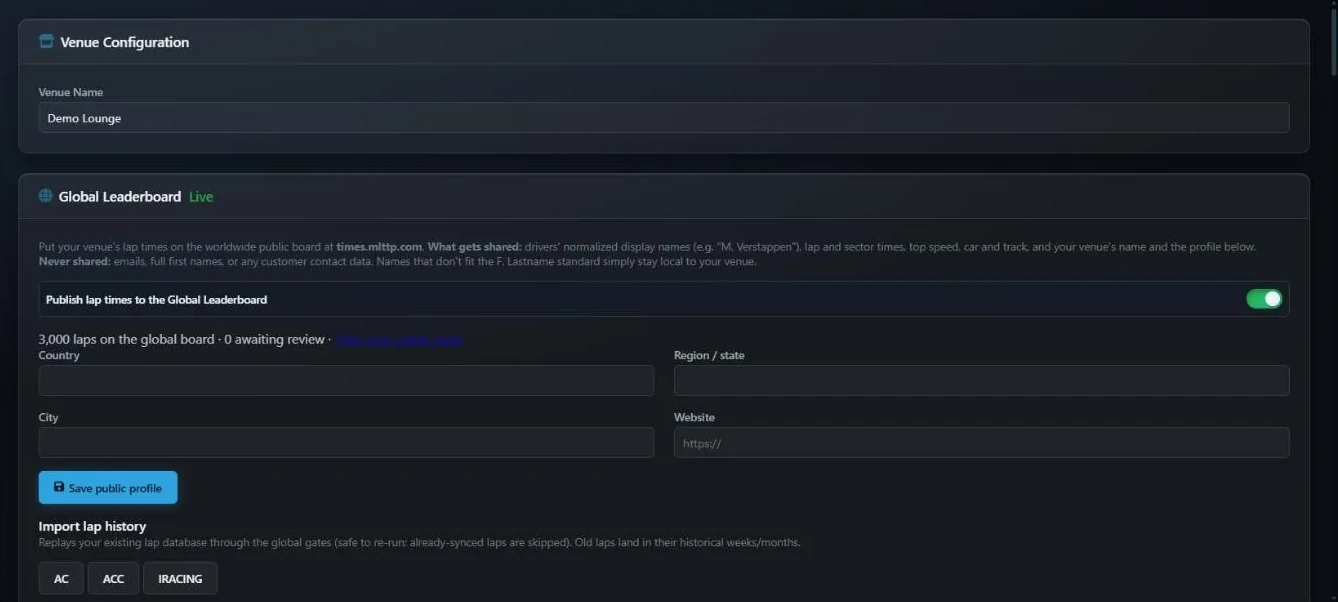
Open Settings › Global Leaderboard. The card explains what is shared and what is not, in plain words, then offers one switch: Publish lap times to the Global Leaderboard. Turn it on and your venue is enrolled. From that moment every valid, clean lap from a driver with a standard name is submitted as it is set. Turn it off and submissions pause; laps already published stay on the board.
A driver's display name in the form F. Lastname, their lap and sector times, top speed, car and track, and your venue's name and public profile. Never shared: email addresses, full first names, or any contact details. A driver whose name cannot be rendered as an initial and a surname, such as a single-word gamertag, simply stays local to your venue.
Once enrolled, the card shows how many of your laps are on the global board and how many are awaiting review, with a link to your public venue page. Fill in Country, Region / state, City and Website and press Save public profile; your venue logo from Settings is copied across automatically.
Importing your history
New venues are not starting from zero. Under Import lap history, one button per game replays your existing lap database through the same checks as a live lap. Old laps land in the week and month they were actually driven, so a record from last winter is credited to last winter. A status line shows progress, and the import can be run again safely; laps already synced are skipped.
Which laps make it
The global board follows a written standard, published at times.mlttp.com/standard, so a time set in Miami can be compared with one set in Manchester. In short:
- The lap must be valid with zero cuts, between fifteen seconds and thirty minutes, and its sectors must add up.
- The driver's name must fit the F. Lastname form, either from their registered record or from a full name typed on the rig.
- The car must be in one of fourteen classes: GT3, GT4, GT2, Cup, Prototype, Open Wheel, Touring, Stock Car, Rally, Drift, Street, Classic, Kart, with Unclassified never shown. Class is decided centrally per car, not per venue, so nobody can enter a GT3 car as a kart.
- A car or track the global board has not seen before is held until it has been checked and given a canonical name and class. Your laps on it are kept and released once it is approved.
- A lap that is implausibly fast for the track, or more than three percent quicker than the current all-time record, is held for review rather than posted instantly. Famous names are reviewed too.
All of this happens after your venue's own database has recorded the lap. Nothing on the global side can affect your local boards.
The public site
times.mlttp.com works on a phone first and needs no login.
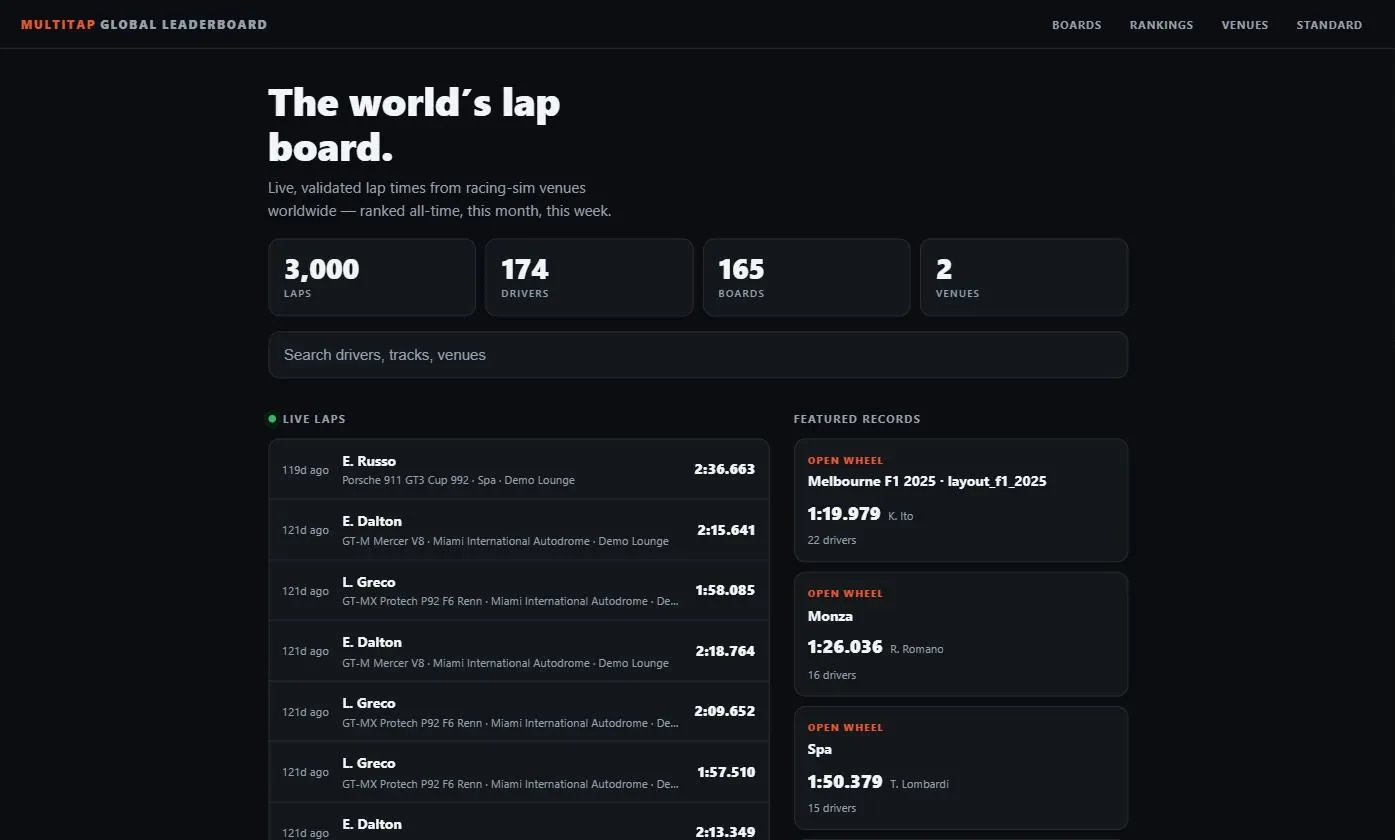
| Page | What it shows |
|---|---|
| Home | Totals for laps, drivers, boards and venues; a search across drivers, tracks and venues; a live feed of laps and events (a record set, a top-three entry, a driver's first global time, a venue putting a track on the map, a venue joining); and featured records. |
| Boards | Every track and class with a record, filterable by game and class, with a track search. |
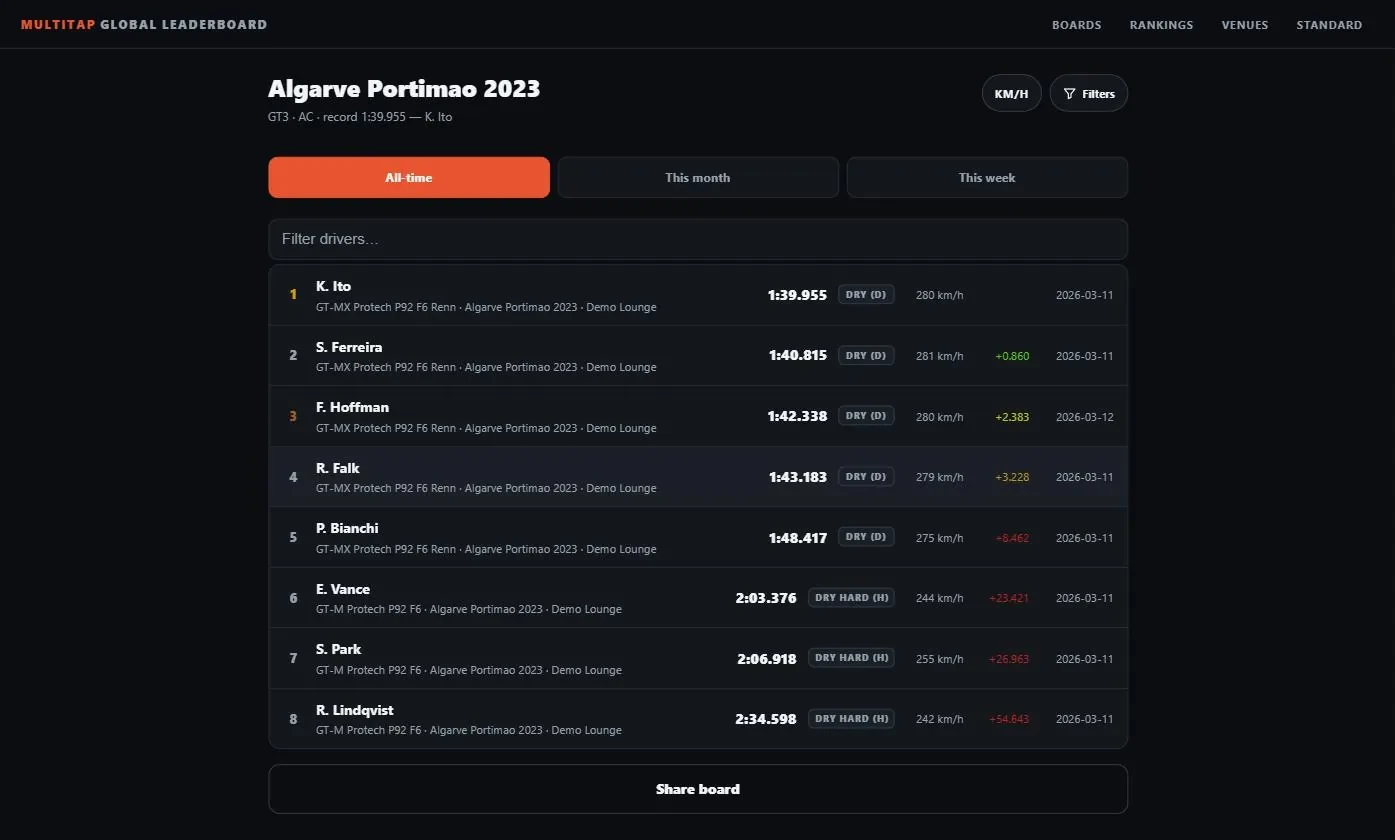
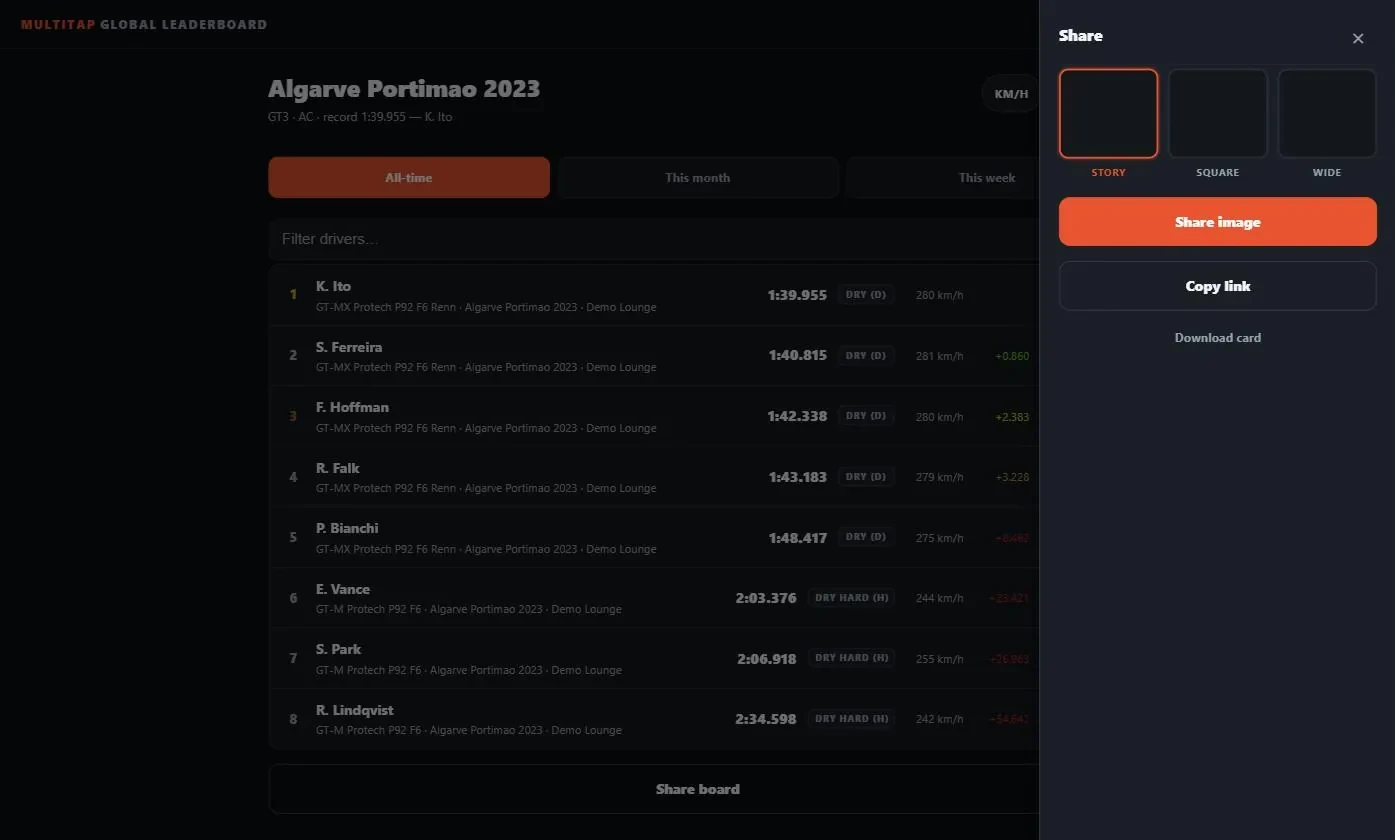
| A board | All-time, this month and this week tabs; filters by car and venue; rank, driver, car, venue, tyre, top speed, gap and date per row. Refreshes every fifteen seconds. Rows tap through to the lap. |
| A lap | The time, a proportional sector bar, driver, car, track, venue, top speed, tyre, game and date. |
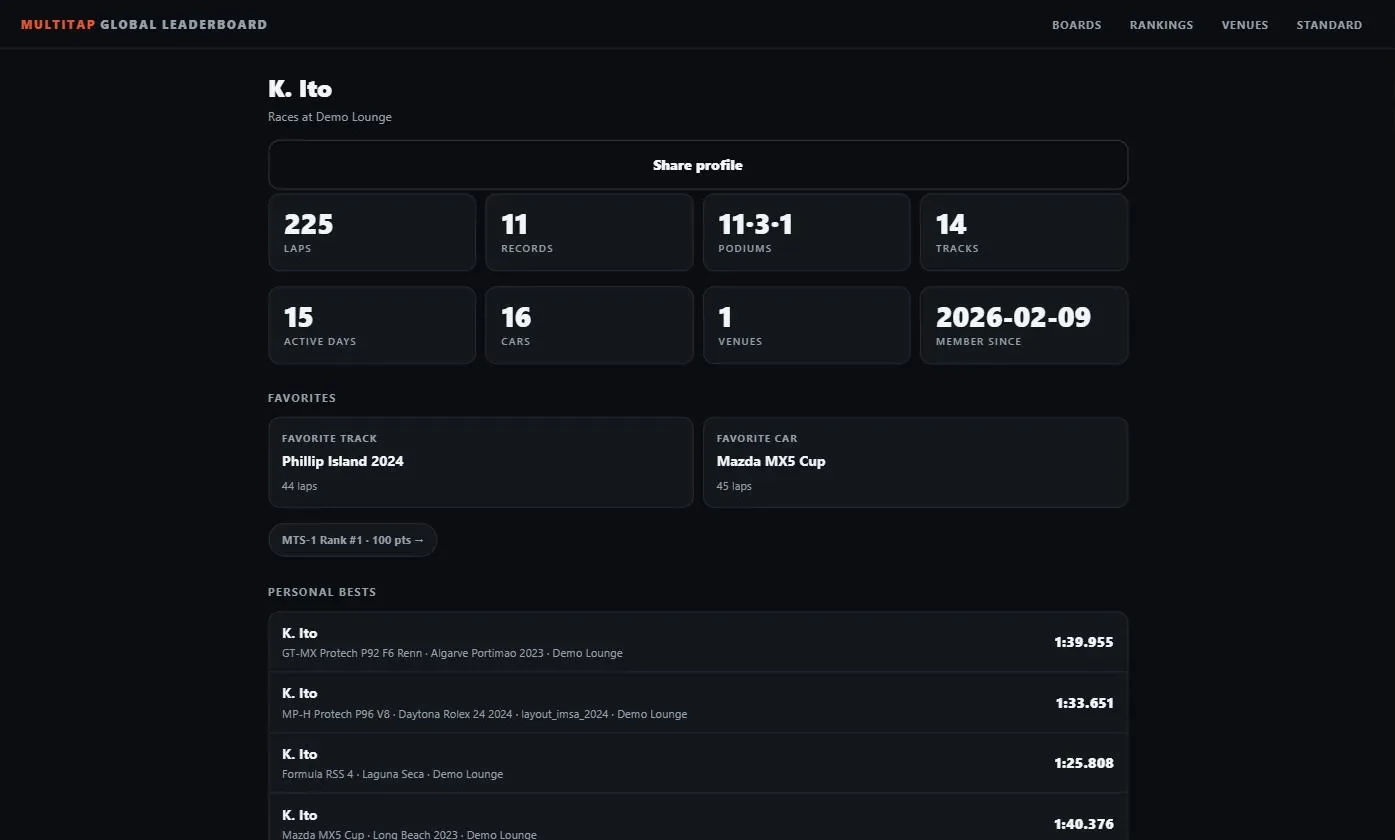
| A driver | Laps, records, podiums and tracks; active days, cars and venues; favourite track and car; personal bests per track and class; a filterable history; and their rank in the driver rankings. |
| Rankings | The MTS-1 driver score: points for podiums on all-time boards, for participation, and for exploring tracks, weighted toward recent activity. Top 25, 50 or 100. |
| Venues | Every participating venue grouped by country, with laps, drivers and records held. Your venue page lists the records you hold and recent activity. |
Share cards
Every lap, board and driver page has a Share control that produces an image in story, square or wide format: the time, the position, the gap to the world record or a NEW RECORD ribbon, sectors, top speed, car, venue and date, on a dark card with the Multitap mark. On a phone it opens the share sheet with the image attached; on a desktop it copies the link and downloads the card. Links pasted into Discord or social apps unfurl with the same image.
Global times on your own TVs
A board on your venue's TV can show world times next to your local ones. Edit the board on the Leaderboard page and set Include Global Times to On. Rows from other venues appear in the ranking with a small globe and the venue's name. This works when the board is a whole-track board or a single-car board, on the all-time, month or week filter. Nothing is sent anywhere; the display reads the public board. It is independent of whether you publish your own laps.
For venues not on Multitap
A venue that runs other software can still join through the Join page on the public site: a short application with venue name, contact email, location, website and the sims they run. Applications are reviewed by hand, and an approved venue receives an ingest key by email with a documented API for submitting laps under the same standard.