Multitap Cloud Pricing Roadmap DOCS Demo
Home / Features
§ The Platform

Complete venue management software.

Multitap is a full-featured platform designed to make sim racing venue operations easier, simpler, and extensible.

01
Global Server

TAPPED IN.

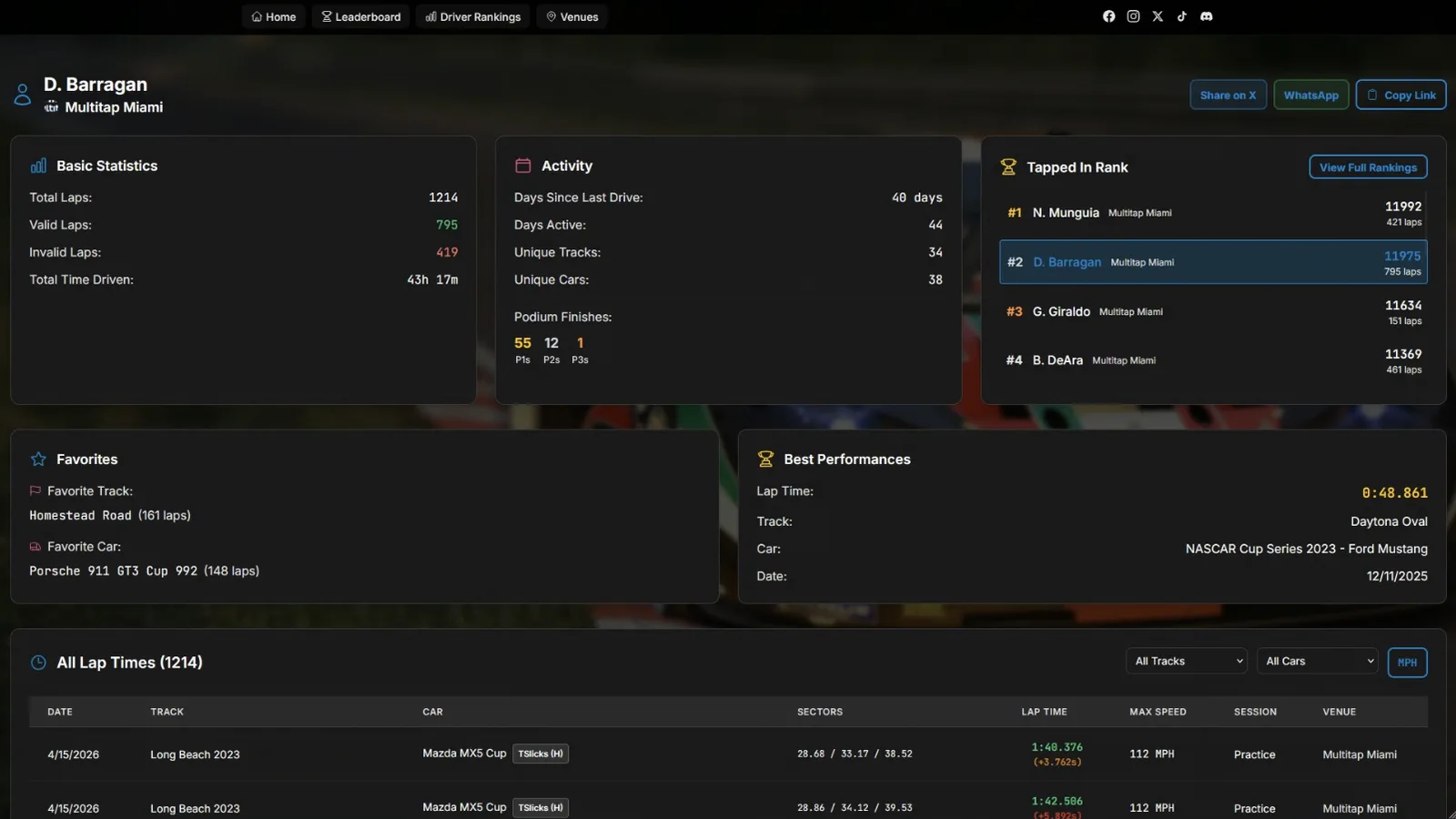
Every lap recorded is synced to the global Tapped In server, with leaderboards between venues on every track, and driver rankings accessible anywhere.

  • Cross-venue points ranking
  • Per-driver public profile
  • Per-venue leaderboards
  • 24/7 web access
Multitap driver profile page showing Basic Statistics, Activity, Tapped In Rank, Favorites, Best Performances, and a full lap-time table for driver D. Barragan at Multitap Miami
FIG. 01 · Driver Profile tapin.mlttp.com
02
Leaderboards

Leaderboards for every lap.

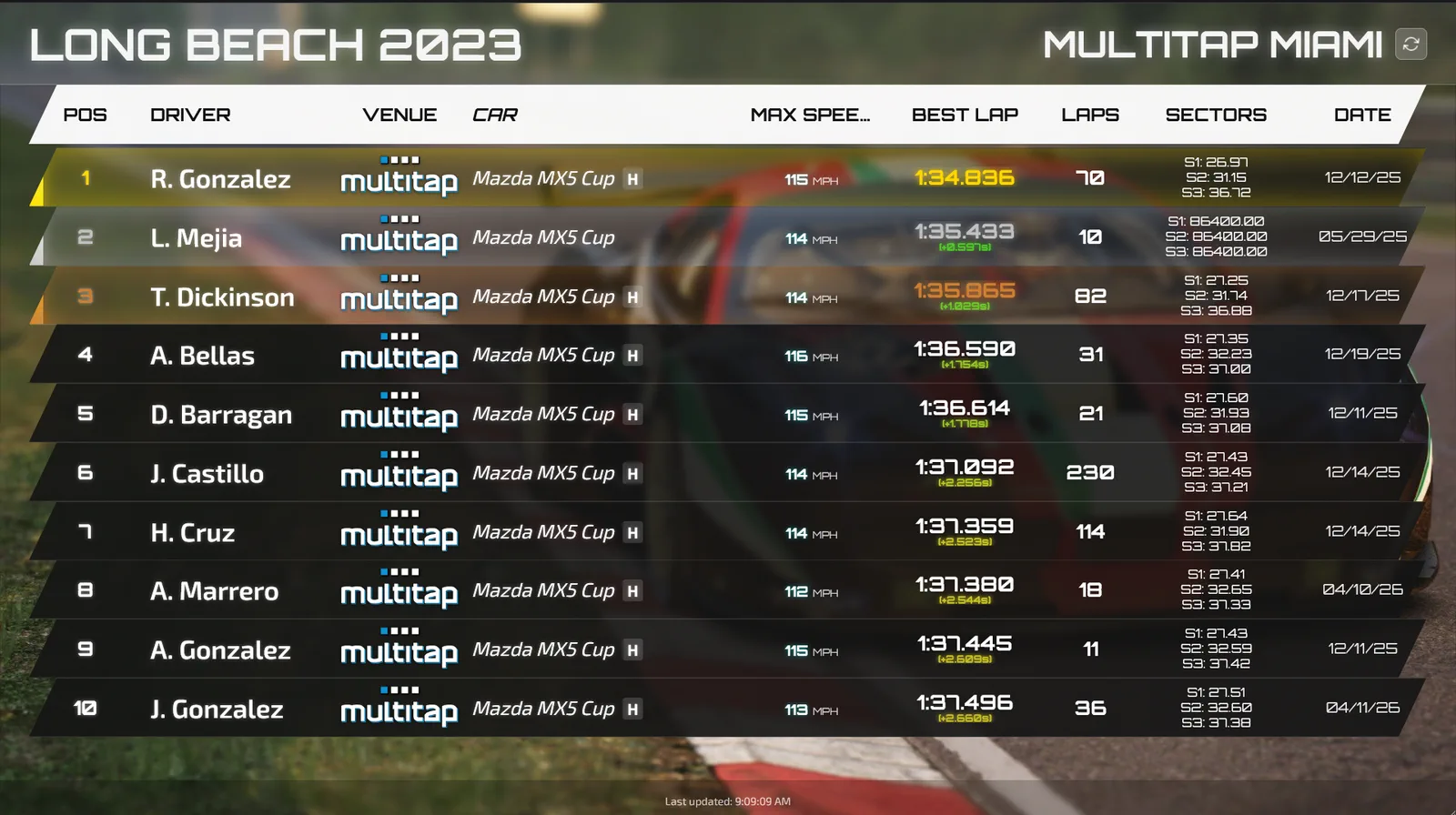
Every lap auto-updates your in-house leaderboards so drivers can immediately see how they've done. Access from anywhere.

  • Sub-second lap capture
  • In-venue broadcast displays
  • Public web URL per venue
  • Per-track, per-car splits
Multitap in-venue leaderboard display showing Long Beach 2023 rankings at Multitap Miami — position, driver, venue, car, max speed, best lap, lap count, sectors, and date
FIG. 02 · Live Board In-Venue Display
03
Broadcasting

Auto-spectator. Hands off.

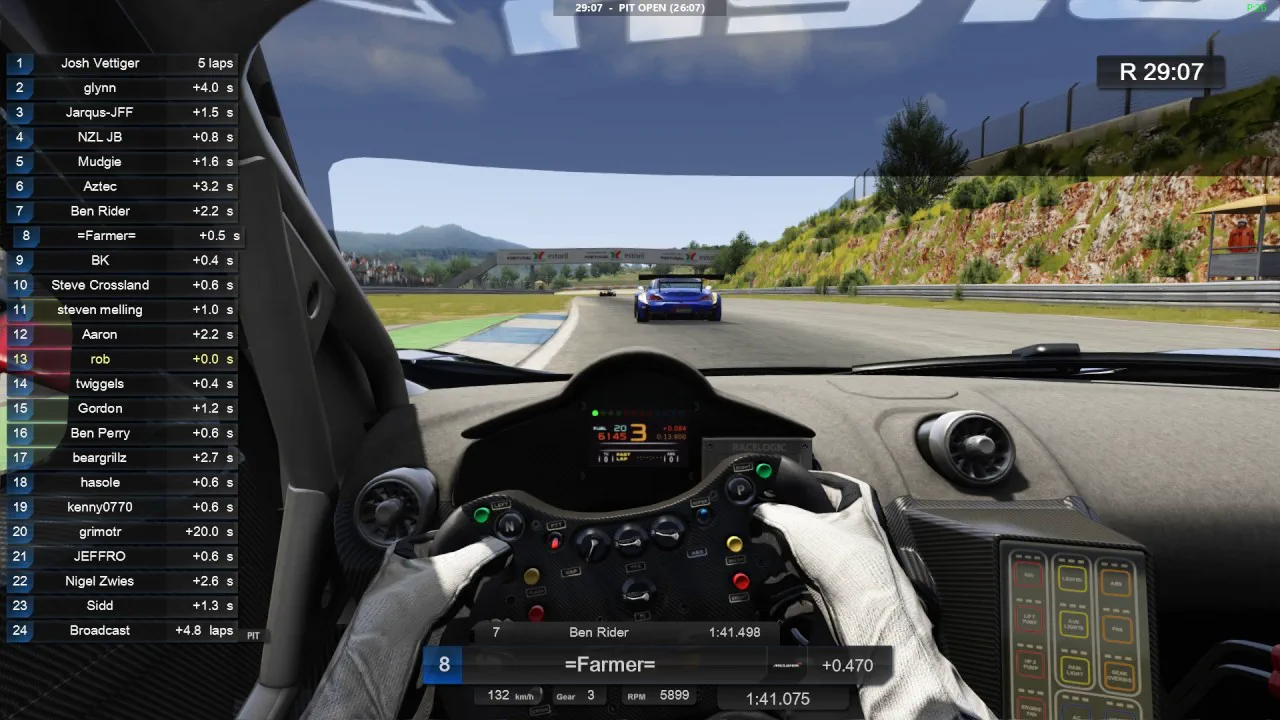
Joins your group races automatically and cycles through track-specific camera angles you set up once. Spectators in the venue get a TV-quality feed — without an operator.

  • Auto-joins group races
  • Per-track camera presets
  • Cycles views automatically
  • In-venue spectator TVs
Multitap broadcast view from inside the cockpit during a live group race at Estoril, with a real-time 24-driver position list and time gaps along the left edge
FIG. 03 · Auto-Director Spectator Feed
04
Traffic Mode

Dodge traffic. Together.

Multiple drivers in your venue join the same locally-hosted traffic server and weave through AI traffic side-by-side. Any car, any traffic map. NoHesi-style — with a custom scoring engine and its own leaderboards.

  • Same local server, same group
  • Any car, any traffic map
  • Custom scoring & combos
  • Dedicated traffic leaderboards
In-game view of NoHesi-style traffic dodging mode — a BMW M3 weaving through tunnel traffic at speed
FIG. 04 · Traffic Mode Any Car · Any Map
05
Race Modes

Every format. One launcher.

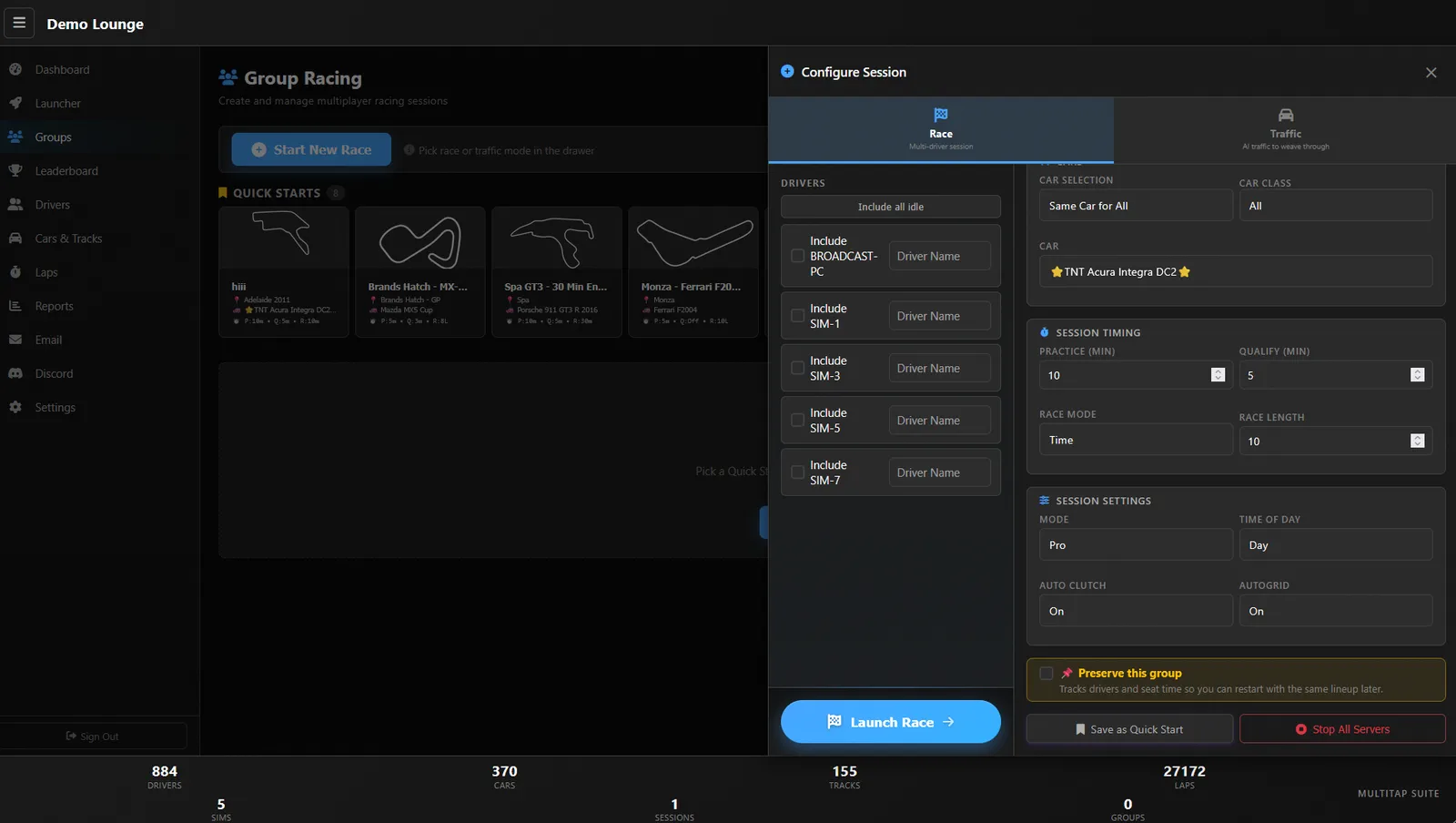
Group race, solo hotlap, structured practice, fully custom servers — all launched from the same admin surface. Run on LAN for ultra-low latency, or Multitap Cloud so anyone can join from anywhere.

  • Group racing · AI or friends
  • Practice & hotlaps
  • Custom servers, saved presets
  • LAN or Multitap Cloud deploy
LAN vs Multitap Cloud — Find Out More →
Multitap Group Racing configure-session panel showing race vs traffic tabs, driver selection, car/class settings, session timing, and race options
FIG. 05 · Session Config Race · Traffic
§ Half-way there

Want it in your venue? Let's talk.

06
Discord Bot

Discord, tuned for racing.

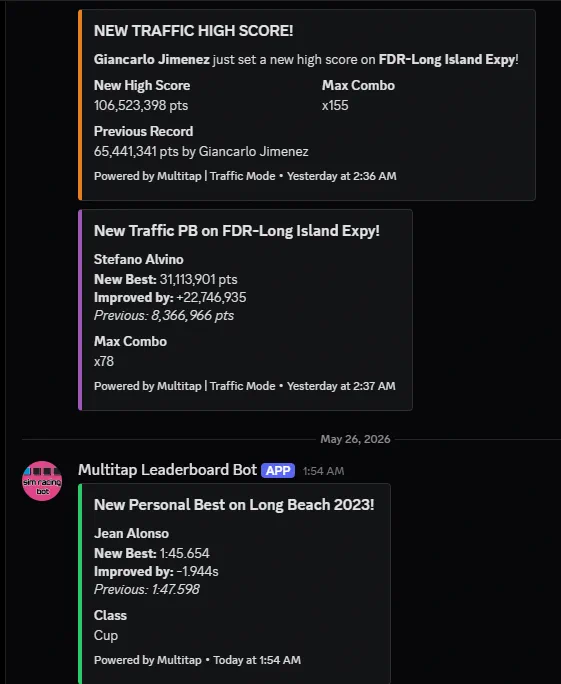
The Multitap Leaderboard Bot lives in your venue's Discord and keeps it alive on autopilot — lap PBs, traffic high-scores, race results, and content drops, the moment they happen.

  • Live race results
  • Lap PB notifications
  • Traffic high-score posts
  • New car & track alerts
Multitap Leaderboard Bot posting in Discord: a new traffic high score on FDR-Long Island Expy, a traffic personal best, and a new lap personal best on Long Beach 2023
FIG. 06 · Live Embeds Multitap Leaderboard Bot
07
Lap Editor

Fix bad data before it sticks.

Edit laps live as they stream in. Invalidate dirty laps, fix car or track mis-reports, rename anonymous drivers — so your boards stay clean and your records stay legit.

  • Invalidate dirty laps
  • Fix reporting errors
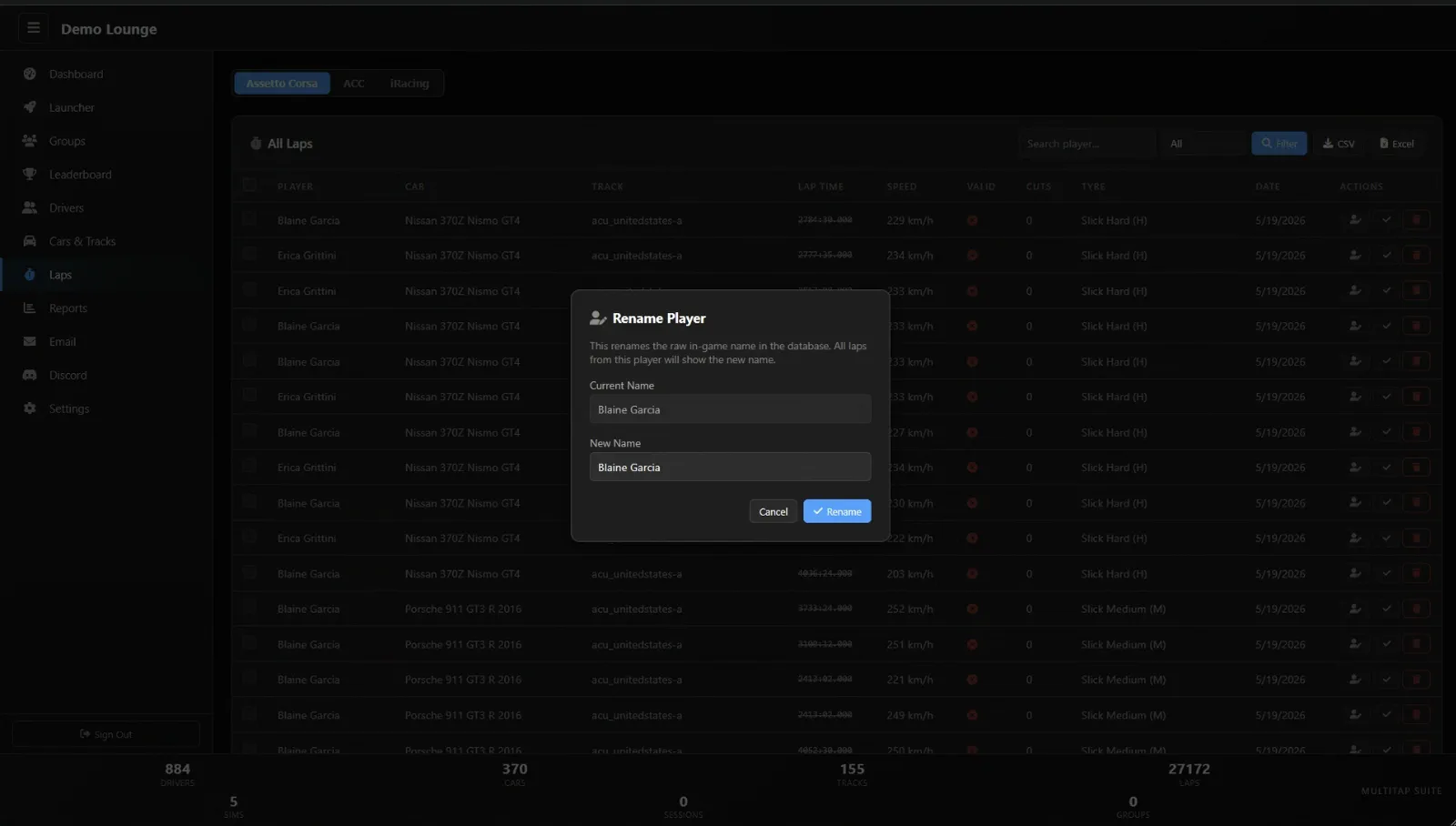
  • Rename drivers
  • Live, no batch processing
Multitap lap editor — All Laps view with per-game tabs (Assetto Corsa / ACC / iRacing), filterable lap rows, and a Rename Player modal open
FIG. 07 · Lap Editor Live Stream
08
Remote Admin

Launch from anywhere.

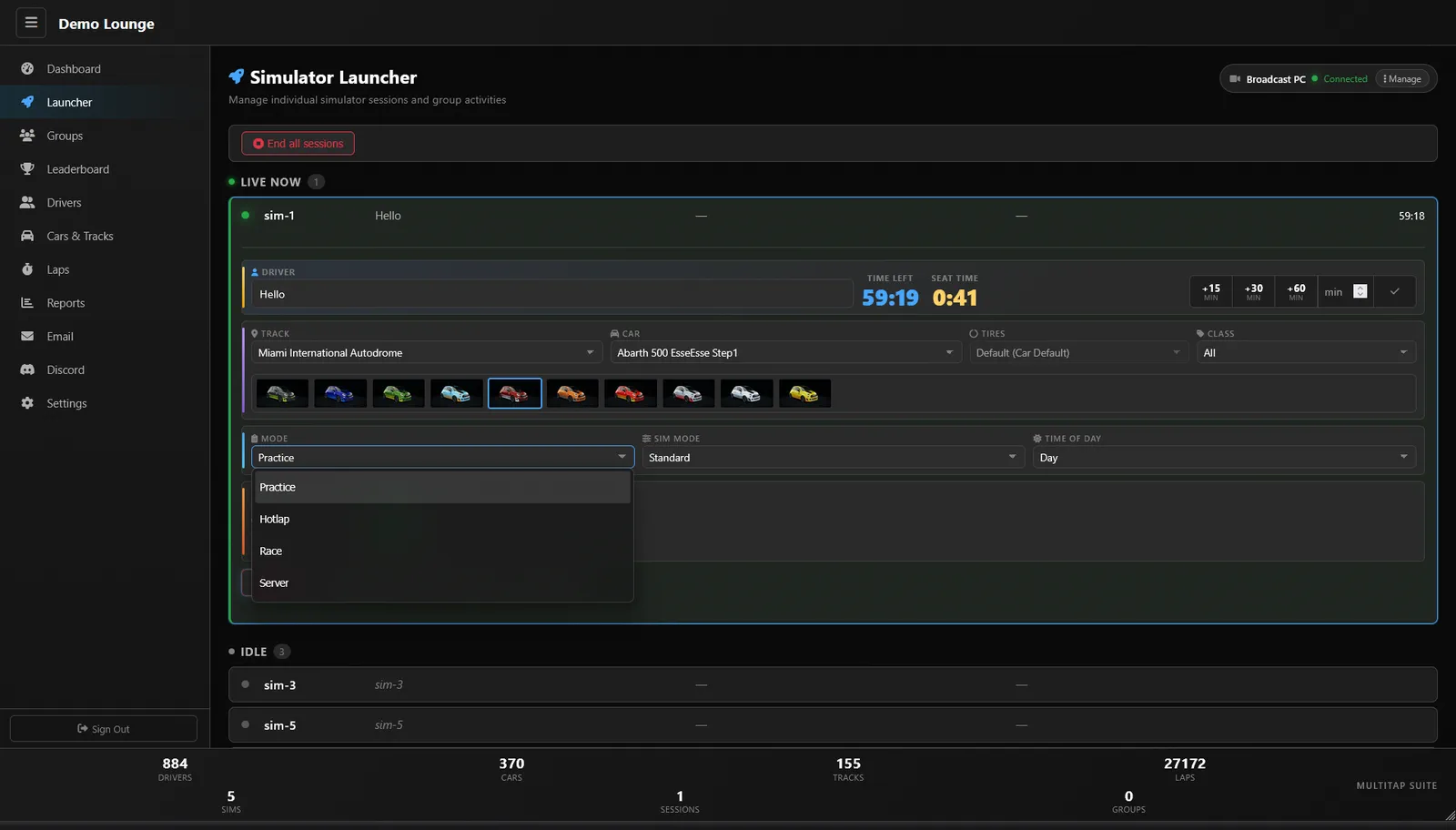
On the Multitap Cloud plan, your admin panel runs in the browser. Phone in the parking lot, laptop at home, tablet at the front desk — tap a sim, fire the session, done.

  • Web-based admin panel
  • Any device, any network
  • One-click session presets
  • Multitap Cloud feature
LAN vs Multitap Cloud — Find Out More →
Multitap Simulator Launcher admin panel showing per-sim session controls — driver, track, car, mode, time-of-day, and session timer for sim-1 at Demo Lounge
FIG. 08 · Web Admin Any Device
09
Sim Launcher

No keyboard. No mouse.

Each sim runs the Multitap fullscreen client. Customers navigate menus using their wheel, paddles, or button box. Windows is hidden. Bindings are fully customizable per venue.

  • Fullscreen client launcher
  • Wheel + button-box nav
  • Customizable bindings
  • Desktop fully hidden
Multitap fullscreen client launcher running on a sim rig — drivers navigate menus with wheel and button box, no keyboard or mouse needed
FIG. 09 · Client Launcher No K/M Required
10
API Coming Soon

API access.

Coming soon.

§ Ready to drive

See it running in your venue.

Try the self-guided demo and explore the documentation. Multitap Cloud launches October 7; optional 60-minute 1-on-1 help is $250.