Hosted admin panel
Your venue's control room, accessible from a browser. Manage your simulators without hosting the Multitap server yourself.
MULTITAP CLOUD / HOSTED FOR YOUR VENUE
Manage your simulators, sessions, drivers and leaderboards in one place. We host and maintain the server for you. Download the software onto your simulator PCs and follow the setup instructions to connect them.
$45 per sim / month
for your first 6 months, then $65
Multitap Cloud launches September 30, 2026. Signup is not open yet.
How signup and setup work ↓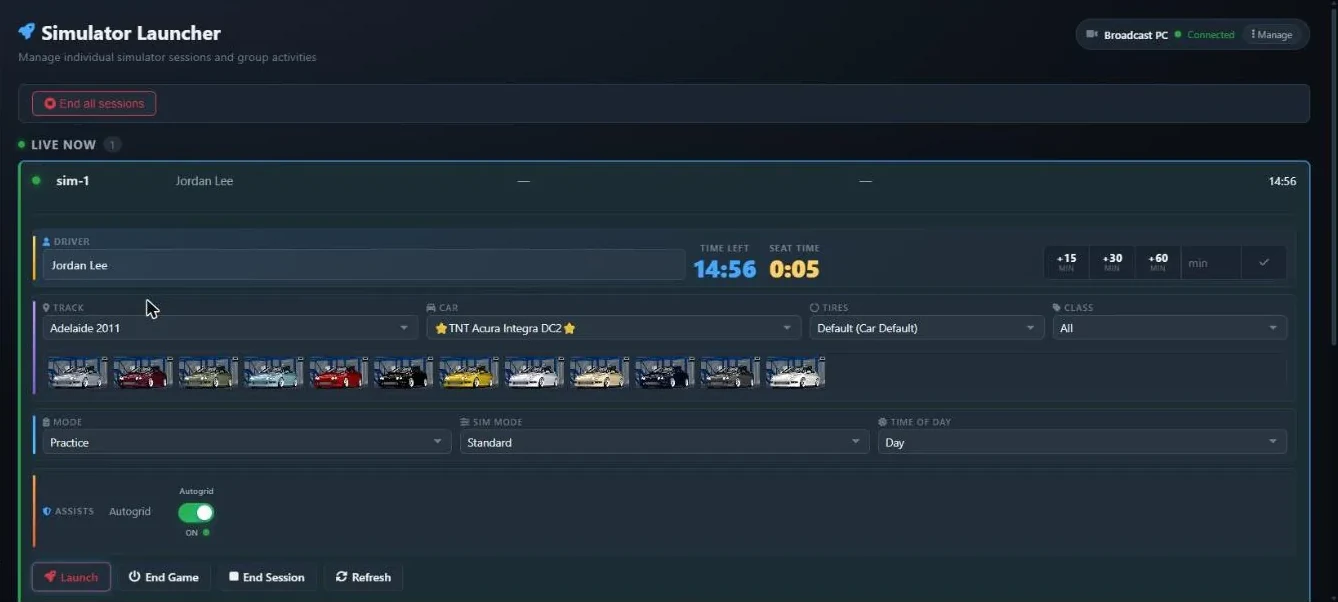
YOUR SUBSCRIPTION
Your monthly subscription includes server hosting and server updates, software for your simulators, and setup documentation.
Your venue's control room, accessible from a browser. Manage your simulators without hosting the Multitap server yourself.
Download the launcher and required components, then follow the installation instructions on each simulator PC.
Launch solo sessions, group races and traffic sessions. Manage timing, drivers and game settings from the desk.
Track drivers and lap times, display results on your TVs and connect your venue to TAPPED IN.
Manage reservations and race nights, with public pages your customers can use.
Connect your mailbox and community server to share records, results and reminders.
FROM SUBSCRIPTION TO FIRST SESSION
When signup opens, you'll be able to complete the process online. You won't need to schedule a demo or an installation call.
Create your account, verify your email, and tell us your venue name and how many simulators you run.
Review your monthly total and subscribe online.
Get your venue access and software downloads in your account. Follow the documentation to connect each rig.
Open your admin panel, check that a rig is connected, and launch a session.
BEFORE YOU SUBSCRIBE
The admin panel is hosted and runs in your browser. The rig software runs locally on each simulator PC.
Assetto Corsa has the fullest integration. ACC and iRacing have leaderboard support; capabilities vary by game.
Read the simulator setup documentation →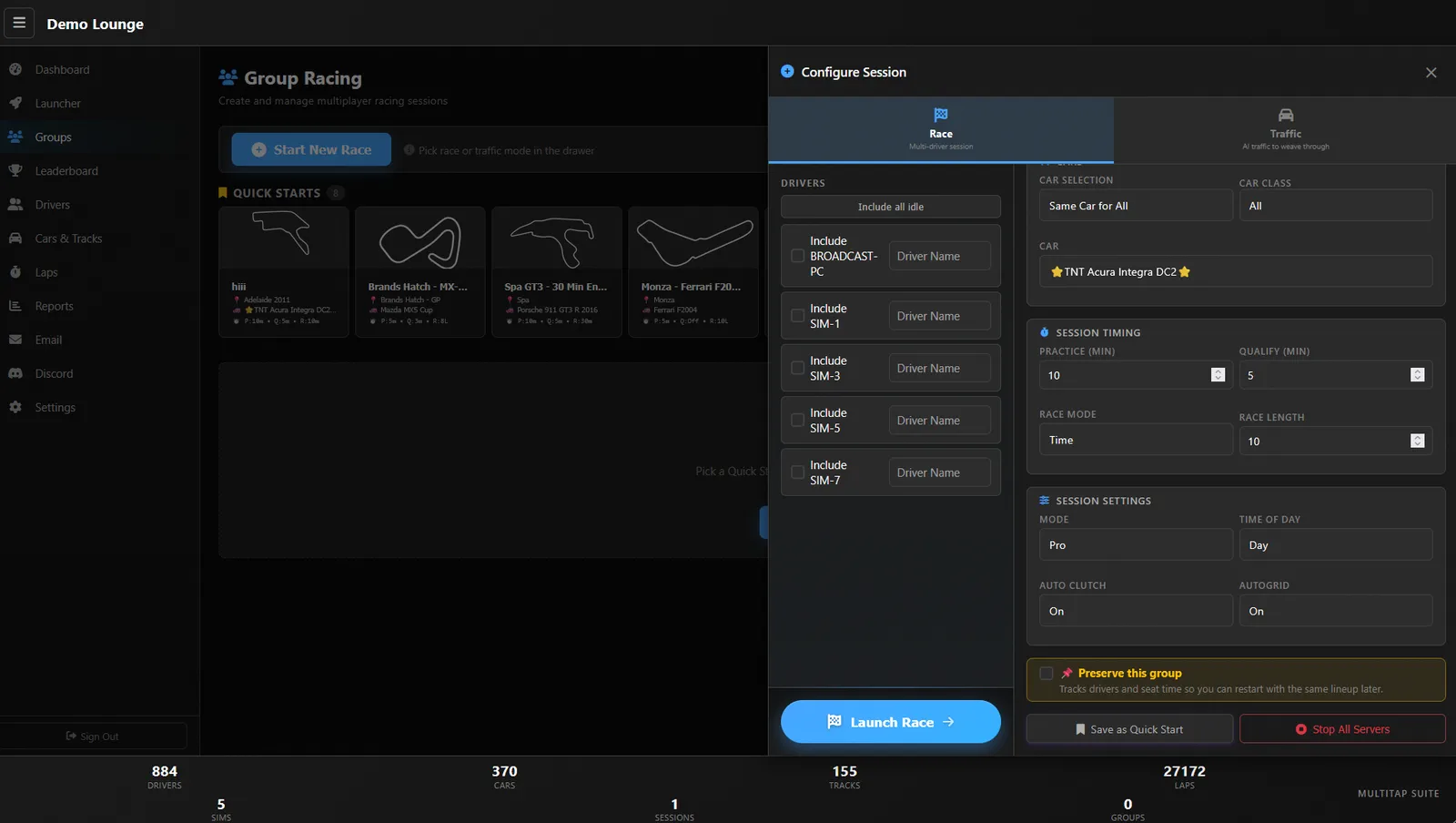
New to Multitap? The demo uses simulated rigs, so you can explore before installing anything.
Get the demo login →$45 per simulator per month for your first six months, then $65 per simulator per month. For four simulators, that's $180/month initially and $260/month afterward. See subscription pricing.
No. Explore the interactive demo yourself, then subscribe online when signup opens. Downloads and documentation are part of your subscription.
Your account will give you access to your downloads, documentation and venue setup. Once your venue is ready, use its admin address and connection details to install the software and connect your rigs.
Yes. An optional Multitap Cloud 1-on-1 is $250 for 60 minutes. It's separate from the subscription and isn't required to get started. See optional help.
Self-hosted is a $6,000 one-time perpetual license on your own hardware. It has fewer features and a longer update cycle. Explore self-hosted.
Yes. The documentation is public, including setup instructions. Software downloads will be available through your subscriber account.
MULTITAP CLOUD
$45 per sim/month for your first six months. Then $65.
Multitap Cloud launches September 30, 2026. Signup is not open yet.