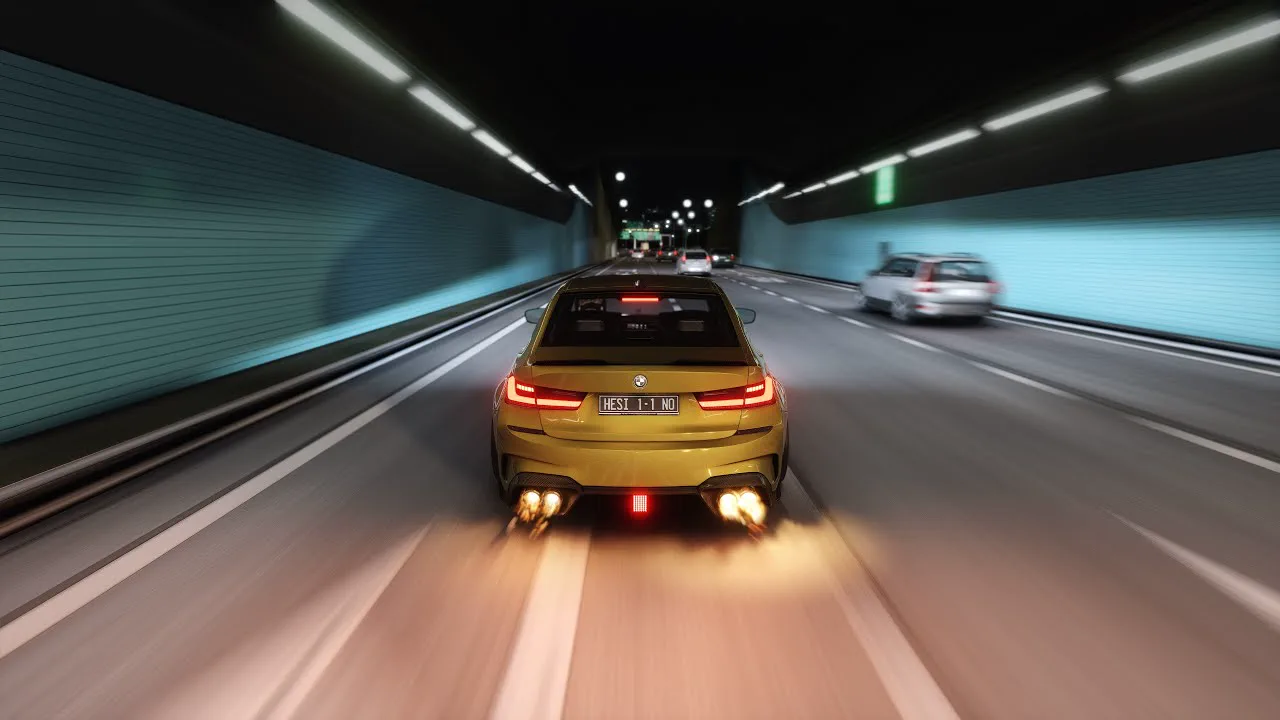
A traffic dodging leaderboard is the board that turns a weird little mode into a regular night at your venue. Drivers weave through AI traffic at speed, every near miss builds a score, one touch ends the run, and the best score per driver goes up on a TV where everyone in the room can see it. That last part is what brings people back. A good run nobody saw is just a good run. A good run sitting at P2 on the wall, two hundred points behind a friend, is a reason to book again on Friday.
Here's how traffic mode works in Multitap, how the scoring and the board behave, and how to run it as a venue format instead of a novelty somebody stumbles into once.
How a traffic dodging leaderboard works in Multitap
Traffic mode puts several of your rigs on the same locally hosted Assetto Corsa traffic server, so friends weave through the same stream of AI cars side by side, in the spirit of No Hesi. Staff start it from the Traffic tab on the Groups page, pick a map, and choose the car setup: one car for everyone, or let each driver choose. You set the density anywhere from Light to Rush Hour and the traffic speed to Cruise (60 km/h), City (80 km/h) or Highway (110 km/h). Session length runs from 5 to 999 minutes, 30 by default, and the server loops, so nobody gets kicked out halfway through a run.
The scoring app on each rig shows a live HUD, and the rules are simple enough to explain at the desk:
- Nothing scores below 60 km/h.
- A near miss is passing another car with less than five metres between the bodywork, and closer passes are worth more.
- Each pass is multiplied by the driver's speed, their closest pass so far, their combo and a wrong-way bonus.
- The combo climbs by one per near miss and starts to decay after four seconds without one. Every five in a row pays a combo bonus.
- Drifts with near misses and quick overtakes pay bonuses too.
- Any contact ends the run. The score is submitted, everything resets to zero, and the driver goes again.
Scores are recorded per driver and per track, and the traffic leaderboard keeps each driver's best. It has its own display at your venue's /traffic_leaderboard/ address, ranking best scores with combo, near misses, closest pass, top speed and date. It refreshes every ten seconds and comes in portrait plus hi-fi portrait and landscape layouts, so it fits whatever TV you've got on the wall.
Why traffic scores work differently from lap times
Lap boards reward consistency. You learn the track, you shave tenths, and after a few visits the top of the board belongs to the regulars. That's great for your sim racing crowd, but it can feel closed off to someone who just walked in with friends.
Traffic is looser. A first timer can string together a combo on their second run, and because contact resets the score instead of wrecking a race for everyone else, nobody ruins anybody's night. The scoring also rewards risk in a way people get instantly: closer is better, faster is better, and ten seconds against traffic doubles the multiplier if you have the nerve. It's an easy pitch for groups who'd never sit through qualifying.
It also keeps the regulars busy. The best score is per track, so every traffic map you switch on is a fresh board with its own record. If you've connected the Multitap Leaderboard Bot, new traffic personal bests, top ten entries and track records post to your Discord, and drivers can type /traffic to pull the top ten for a track with score and best combo. The rivalry keeps going between visits without anyone on staff posting a thing.
Running traffic dodging as a venue night
The mode is the easy part. The format is what makes it a night people plan around. A few things we'd set up before you put it on the calendar:
- Pick one map for the night. One track means one board, so everyone chases the same number. Rotate maps week to week to give the regulars a new record to go after.
- Put the board where the waiting line is. The people sitting out between turns are your next drivers. A live board ten feet from them does more than any sign at the desk.
- Start on Normal, push to Rush Hour later. Lighter traffic lets new drivers learn the HUD. Denser traffic later in the night is where the big combos happen.
- Let friends start their own. With customer group sessions turned on, a logged-in driver can host a traffic session from their rig with the wheel and friends join from theirs. It's off by default, staff see every lobby on the Groups page, and staff always win.
Birthday parties and team events get a version too. Open Track can run as a traffic session, rotating guests through the rigs for the driving time you set while a TV shows each guest's best score, a feed of recent moments and the AI cars as dots on a live map. Guest scores stay on your own boards and stay off Discord, which matters when the guests are kids or a company crowd who didn't sign up to be posted.
Setting up an Assetto Corsa traffic server for venues
A couple of practical notes so the first night goes smoothly. Traffic uses only what your venue supplies: the map's AI line files, which your rigs send to the server, and the AI car models you tick on the Traffic card in Settings. There's no shared fallback, so if a map has no AI line yet or no traffic cars are ticked, Multitap refuses the launch with a message instead of starting an empty road. Set buses and trucks as Truck / bus in that list and they're kept to about 15% of the road. Every rig in a traffic session also needs Custom Shaders Patch 0.2.8 or later.
One more thing worth knowing: single-player traffic from the launcher on one rig is for practice, and those scores aren't recorded. For scores on the board, run it as a group traffic session. Traffic is part of the full Multitap Cloud platform on your rigs, which is $35 per sim, per month, alongside your lap leaderboards, VenueLaps and the rest of what's on the features page.
If you want to see the traffic board and the rest of the admin panel before you commit to anything, start from the Multitap homepage and try the live demo, or book a demo call and we'll walk through setting up your first traffic night with you.
See Multitap in Action
Explore lap-triggered marketing, VenueLaps and the Discord engine in the self-guided public demo.
Try the Demo →