Most esports center software is sold as if the hardware were somebody else's problem. You pick a platform, it shows you a slick admin panel, and only on install day do you find out what it expects from the rigs, the TVs and the network. If you're planning a racing floor, it's worth doing that in reverse: write the sim racing center equipment list first, with the software in mind, so nothing on opening night surprises you. Here's the list we walk new venues through, piece by piece, using what Multitap actually needs to run.
What esports center software needs at every rig
The rig is the unit everything multiplies by, so get one right and copy it. On the hardware side, our sim racing venue ROI breakdown budgets $3,000 to $5,000 per rig for a mid-range commercial setup with a cockpit, a direct-drive wheel base, load-cell pedals and a triple-monitor display. The software side of the checklist is shorter, but it's the part people skip:
- A Windows simulator PC with your games installed and your own game licenses, cars and tracks. Software can launch content, it can't license it for you.
- Steam signed in, and Assetto Corsa started once under the rig's normal Windows user, with Custom Shaders Patch installed. Our in-game lap app needs Custom Shaders Patch to record laps with sectors, cuts and top speed.
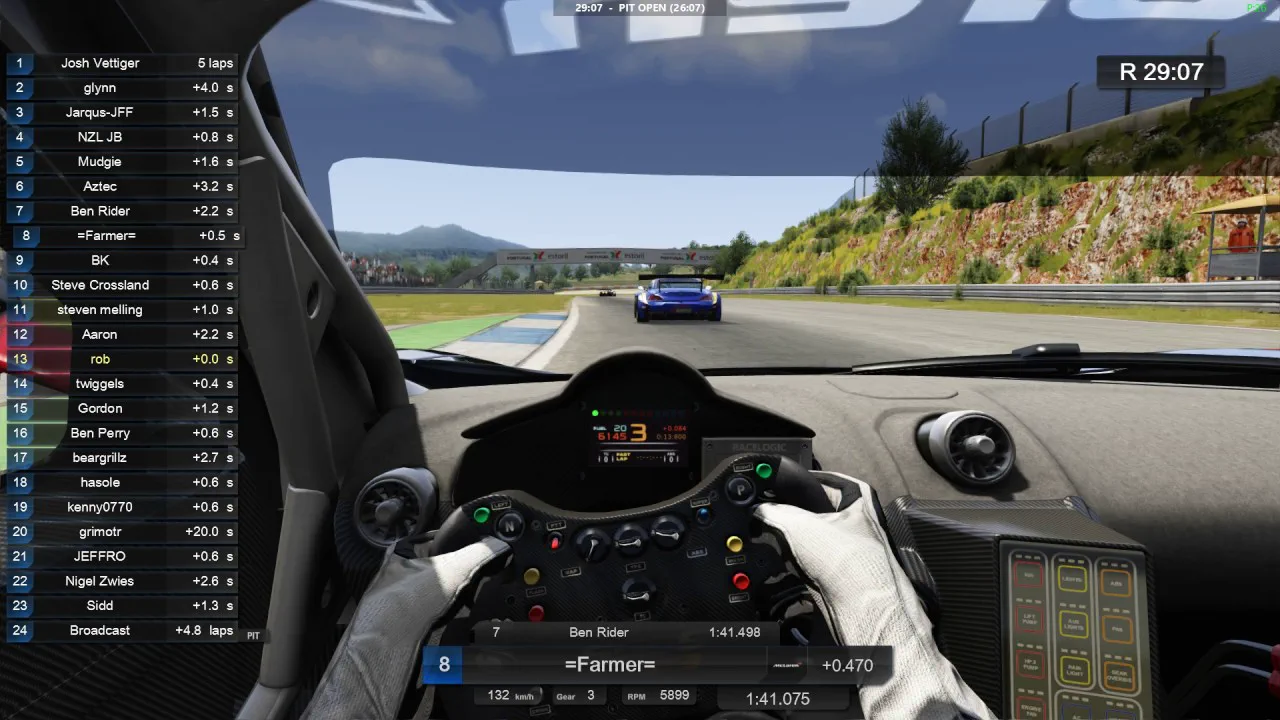
- A wheel, pedals and ideally a button box. The Multitap launcher runs full screen with Windows hidden behind it, and drivers pick their event, car, track and mode with the wheel, paddles or button box, then hold a button to start. No keyboard or mouse at the seat, which means your controls need to be mapped once per rig before doors open.
- Admin access to install software. You download one rig installer from Settings, Downloads in the admin panel, and the same file works on every rig at your venue. It installs the launcher, the in-game apps and the collector, and starts them with Windows.
If you run more than one title, plan for it here. Assetto Corsa has the fullest integration today, and Assetto Corsa Competizione and iRacing have leaderboard support through the collector, which reads ACC and iRacing laps as they complete. So an iRacing and Assetto Corsa sim center works, with Assetto Corsa doing the heavy lifting on launching and session control. Automobilista 2, rFactor 2 and Assetto Corsa Evo are planned, not live, so don't build a floor around them yet. And if you have motion seats, the launcher can drive D-BOX through HaptiSync Center, and if motion can't start the customer still drives without it.
Screens, a broadcast PC and a Raspberry Pi
The second half of the list is everything the room sees. This is where sim bay management software earns its keep, because a full room watching a race is what sells the next session.
- TVs for your leaderboards. You can build up to twenty boards, and each one has display addresses you just open on a TV, in portrait for a TV mounted on its side or landscape for a normal 16:9 screen. Edits reach the TVs within about ten seconds, no reloading.
- One broadcast PC. Broadcast PCs show live races on the venue TV and play your idle video between races, with an automatic camera director that follows battles, incidents and overtakes. One broadcast PC is included with Multitap Cloud, and extra broadcast PCs are $22.50 a month each.
- A Raspberry Pi 4 or newer for the live leaderboard. The live leaderboard is one screen that follows whatever is running, with every car on the track map during a race, then the podium and finishing order. It needs no PC by the TV, because you download a ready-made SD card for the Pi from Settings, Downloads.
- Something for the front desk. The admin panel lives at your own venue web address and works in any browser, so a tablet at the counter or a phone on the floor is enough to start, extend or end sessions.
Network, space and the parts that aren't hardware
Every cloud platform needs a working internet connection for the venue and the rigs, and Multitap Cloud is no different. It's forgiving about blips, though: the collector stores each lap before sending it, so laps driven while the internet is down go up when it comes back. Inside the building, your rigs talk to each other too. Content Sync copies cars and tracks from one master rig to the others over your venue network, so keep the sims on the same local network and let Windows allow it when the installer asks. That one decision saves hours of copying files by hand every time you add a track.
As for how much space for a sim racing center, the ROI post plans roughly 80 to 100 square feet per rig once you count the cockpit, monitor arms, cable management and enough room that customers aren't bumping elbows, and approximately 2,000 to 3,000 square feet for an 8-rig venue. Leave a wall with sight lines for the broadcast TV. Spectators can't get hooked on a race they can't see.
The last line on the list is the subscription itself. Multitap Cloud is $35 per sim, per month. Running 10 or more sims? $325 a month covers your whole venue. It's month to month with no setup fee and no contract, and every venue gets a private Discord channel with our team for setup help. If you'd rather test the list on real hardware first, the no-card 7-day trial covers up to 2 rigs and 1 broadcast PC, and the clock only starts when your first rig connects.
Check your list against the real thing
Before you order a single cockpit, click around the live demo linked on the Multitap homepage. It has simulated rigs, so you can see exactly what the launcher, the boards and the broadcast side expect from your floor. The full rundown of what's live is on the features page. And if you want a second set of eyes on your equipment list, book a demo with our team and bring your rig count. We'll walk through it with you, seat by seat.
See Multitap in Action
Explore lap-triggered marketing, VenueLaps and the Discord engine in the self-guided public demo.
Try the Demo →